

After 30 days with these wearables, the initial shine fades — revealing how the software truly flows, or stutters, in daily life. Let’s unpack the data flows and user friction in the Apple Watch SE 3 vs Samsung Galaxy Watch7, focusing on watchOS 26 and Wear OS 5 ecosystems.
Considering a long-term commitment? Dive in with Check Price on Apple Watch SE 3 and Check Price on Samsung Galaxy Watch7.

Apple Watch SE 3 – Size Comparison on Wrist! (40mm vs 44mm)
Notification Handling
Think of notifications as a data pipeline — incoming alerts need quick triage without overwhelming the wrist. On the Apple Watch SE 3, watchOS 26 handles this like a well-oiled filter: Haptic feedback is subtle yet insistent, and the wrist-flick gesture dismisses the Smart Stack efficiently. After 30 days, I noticed grouping works seamlessly for threaded messages, reducing clutter — but occasional delays sync with iPhone if Bluetooth hiccups.
Samsung’s Galaxy Watch7, running Wear OS 5 with Galaxy AI, feels more proactive: It suggests replies based on context, pulling from message history for quick taps. Vibration patterns are customizable, which shines in noisy environments. However, users report delayed notifications post-update, sometimes requiring a restart to flush the queue. Over time, it adapts better to your habits, but initial setup demands tweaking app permissions.
| Aspect | Apple Watch SE 3 | Samsung Galaxy Watch7 |
|---|---|---|
| Alert Style | Subtle haptics, grouped threads | Custom vibrations, AI replies |
| Responsiveness | Quick sync with iOS | Proactive but occasional delays |
| Customization | Basic (Do Not Disturb modes) | Deep (per-app, patterns) |
| Long-Term Note | Reliable, minimal false positives | Improves with AI learning, but update-sensitive |
App Reliability
Apps on smartwatches are like lightweight scripts — they need to execute without crashing the system. The SE 3’s App Store ecosystem (thousands optimized) delivers: Health app aggregates vitals reliably, with on-device processing keeping things snappy even after weeks of data buildup. Third-party apps like Strava sync consistently, though some report Messages app vanishing sporadically, fixed by a force-quit.
For the Watch7, Google Play’s Wear apps (around 5,000) integrate tightly with Android, but quality varies: Samsung Health tracks sleep and energy scores dependably, yet third-party faces can glitch post-One UI updates. After 30 days, apps like Maps load faster thanks to the Exynos W1000 chip, but out-of-sync issues with non-Samsung phones require manual reconnects.
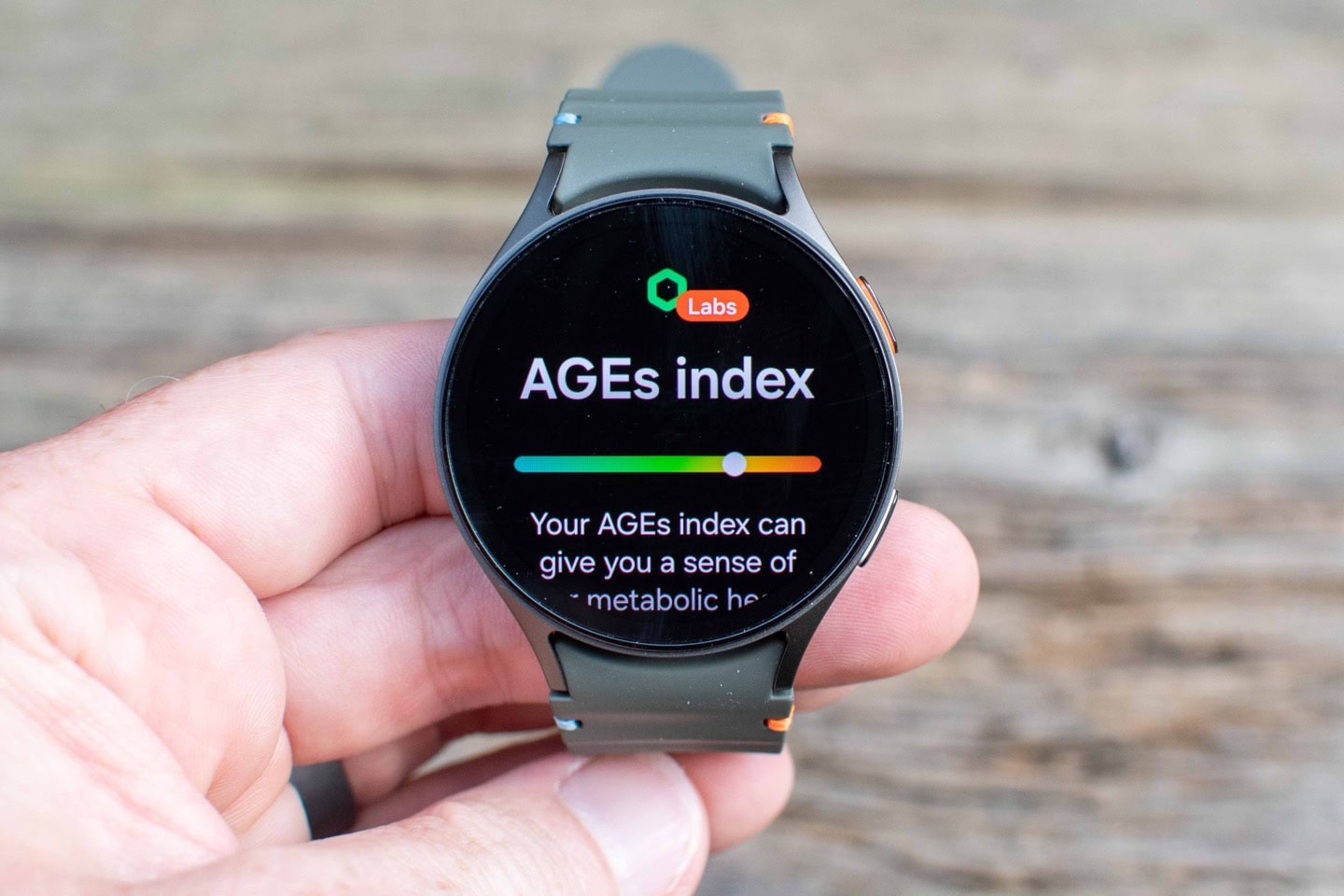
Samsung Galaxy Watch 7 In-Depth Review: Half the price, half the accuracy? | DC Rainmaker
| Reliability Factor | Apple Watch SE 3 | Samsung Galaxy Watch7 |
|---|---|---|
| Core Apps | Health, Siri stable | Samsung Health, Bixby consistent |
| Third-Party Sync | Seamless with iOS | Variable, better on Galaxy phones |
| Load Times | Quick on S10 chip | Faster with Exynos, but app-dependent |
| Common Fixes | Force-quit for glitches | Restart for sync issues |
Bugs & Slowdowns Over Time
Bugs are the entropy in any software system — they creep in after prolonged use. For the SE 3, watchOS 26 starts smooth, but beta testers noted elevation and pace inaccuracies in workouts, persisting in some 2026 updates. Slowdowns are rare; the S10 chip handles 64GB storage without lag, though Find My occasionally stalls on location updates. Battery holds at 18-24 hours, improving slightly as algorithms learn.
The Watch7’s Wear OS 5 shines initially, but One UI 8 updates introduce sensor failures (e.g., BIA, ECG) and UI lag. Battery drain worsens post-update, dropping to under a day, though it stabilizes after 2 weeks. Third-party watch faces glitch on AOD transitions, a known Wear OS 6 bug. Samsung promises mid-January fixes, but expect reboots in the interim.
| Issue Type | Apple Watch SE 3 | Samsung Galaxy Watch7 |
|---|---|---|
| Common Bugs | Workout metrics off, app vanishing | Sensor fails, AOD glitches |
| Slowdowns | Minimal, storage-efficient | UI lag post-update |
| Battery Impact | Stable 18-24h | Drains faster initially |
| Fixes Timeline | OTA patches quick | Mid-2026 updates pending |
Daily Usability Insights
Daily use is where software turns data into habits — like a background process optimizing your routine. The SE 3 integrates like an extension of iOS: Workout Buddy’s AI pep talks motivate runs, and Vitals app flags anomalies without fuss. After 30 days, gestures (double-tap, flick) feel natural, though the smaller screen cramps app navigation compared to Series 11.
Galaxy Watch7’s Energy Score acts as a readiness gauge, factoring sleep into suggestions — handy for commuters skipping workouts. Gesture controls shine, but unresponsive apps disrupt flow. Battery anxiety eases over time, lasting 1.5 days with tweaks, and ecosystem perks (like Galaxy Ring sync) add value for Samsung users.

Samsung Galaxy Watch 7 Vs Apple Watch SE 2! (Comparison) (Review)
| Usability Insight | Apple Watch SE 3 | Samsung Galaxy Watch7 |
|---|---|---|
| Habit Integration | Motivational coaching | Predictive scoring |
| Gesture Ease | Intuitive flick/double-tap | Responsive but glitchy |
| Battery in Routine | All-day reliable | Improves to 1.5 days |
| Ecosystem Fit | iOS seamless | Android/Galaxy optimized |
Final Verdict
After dissecting 30 days of data, neither watch is flawless — but they evolve differently. The Apple Watch SE 3 offers a stable, privacy-focused experience that’s ideal for iOS users seeking value without drama; minor bugs feel fixable, and its software feels like a trusted analyst. Samsung’s Galaxy Watch7 delivers deeper AI insights and customization, suiting Android enthusiasts who tolerate update hiccups for long-term adaptability.
If you’re in Apple’s garden, the SE 3 wins for consistency; for open ecosystems, the Watch7’s potential edges it despite teething issues. Both make daily tracking meaningfully effortless, but choose based on your phone allegiance.
Stay curious. — A.C.
